
Study Settings - Study Protocol
In this tab of the Study Settings Menu, it is possible to:
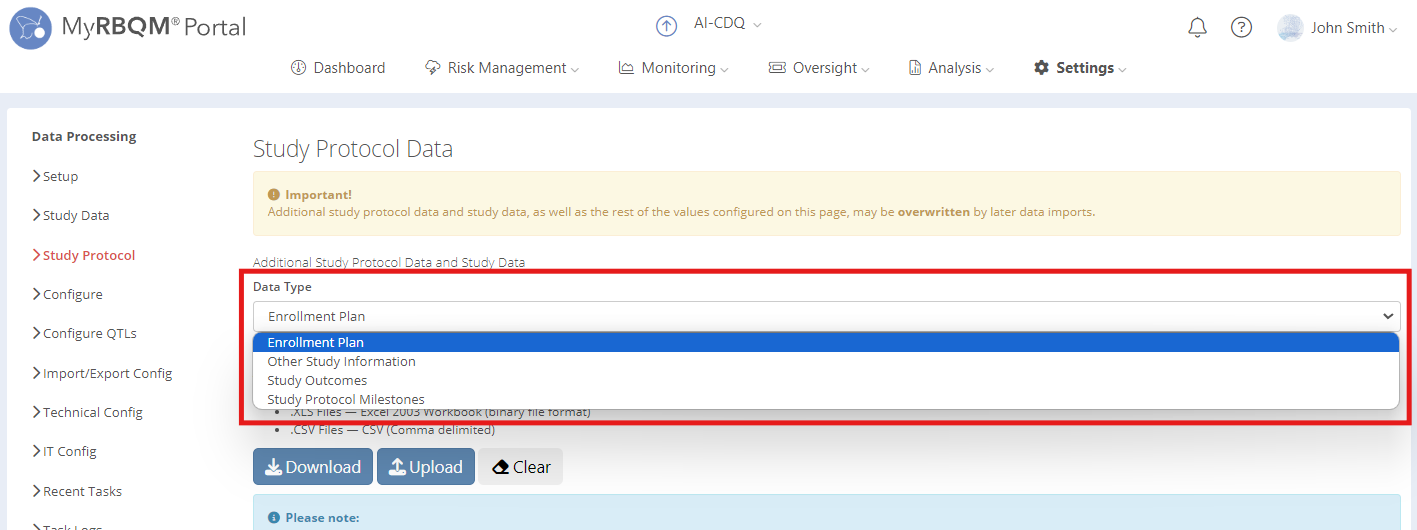
- Upload and download Enrollment plan, Study Outcomes, Study Protocol Milestones and other study information
Files that should be set up in the Study protocol, their priorities, saving and update options depend on the study type. Please clarify requirements with your Project Manager.
- Set up the Target Number of Subjects
The Target Number of Subjects may be required for some Key Risk Indicators and Study Predictions. The changes to this number will affect them after the next data import.

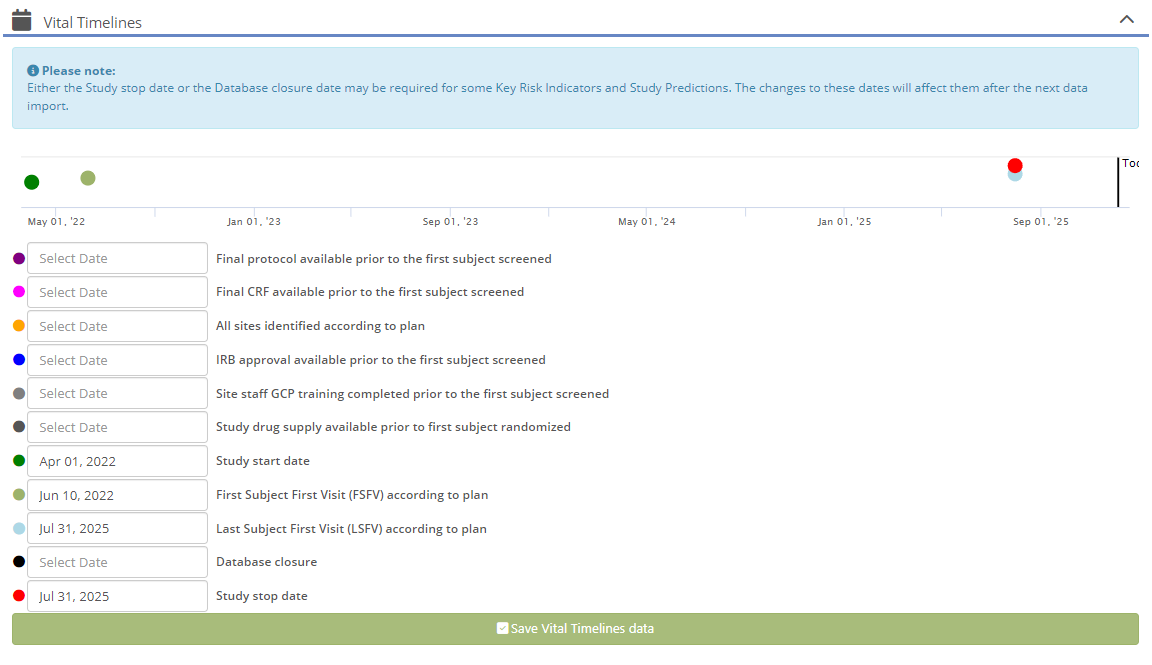
- Set Vital Timelines:
- Final protocol available prior to the first subject screened - not frequently used, might be needed for some metrics (determined study to study)
- Final CRF available prior to the first subject screened - not frequently used, might be needed for some metrics (determined study to study)
- All sites identified according to plan - not frequently used, might be needed for some metrics (determined study to study)
- IRB approval available prior to the first subject screened - not frequently used, might be needed for some metrics (determined study to study)
- Site staff GCP training completed prior to the first subject screened - not frequently used, might be needed for some metrics (determined study to study)
- Study drug supply prior to first subject randomized - not frequently used, might be needed for some metrics (determined study to study)
- Study Start date - date on which we expect first data available in data import
- First Subject First Visit (FSFV) according to plan - previous name = Recruitment start date
- Last Subject First Visit (LSFV) according to plan - used as last date in Enrollment PI [Dashboard]
- Database closure – last date on which we expect any new data
- Study stop date - used as last date for metric predictions
- Enable/Disable a Subject profile
- Enable/Disable Compliance & Data Quality Check module
